How to prevent cybersecurity attacks
Published: 5 Feb 2026
Last year, a small shop owner opened an email that looked safe. The message asked him to reset his password. Minutes later, his customer data was gone. This happened because he did not know how to prevent cybersecurity attacks. Stories like this happen every day, not just to experts, but to regular people.
A cybersecurity attack is any attempt to steal, damage, or take control of your digital information. Hackers target accounts, devices, and networks to access personal data, money, or business systems. These threats happen every day because people often use weak passwords, click unsafe links, or ignore software updates.
Have you ever worried about your data getting stolen? If so, you are not alone. Millions of people face these risks, from individuals to small businesses. By learning how to protect yourself from cyber threats and stay safe online, you can spot risks early and take simple steps to reduce them.
In this guide, you will learn how to identify cyber risks, understand why attacks happen, and follow practical steps to reduce cyber risks and avoid being hacked. Even without technical knowledge, you can take action today to protect your data and devices.
Table of Contents
What Is a Cybersecurity Attack?
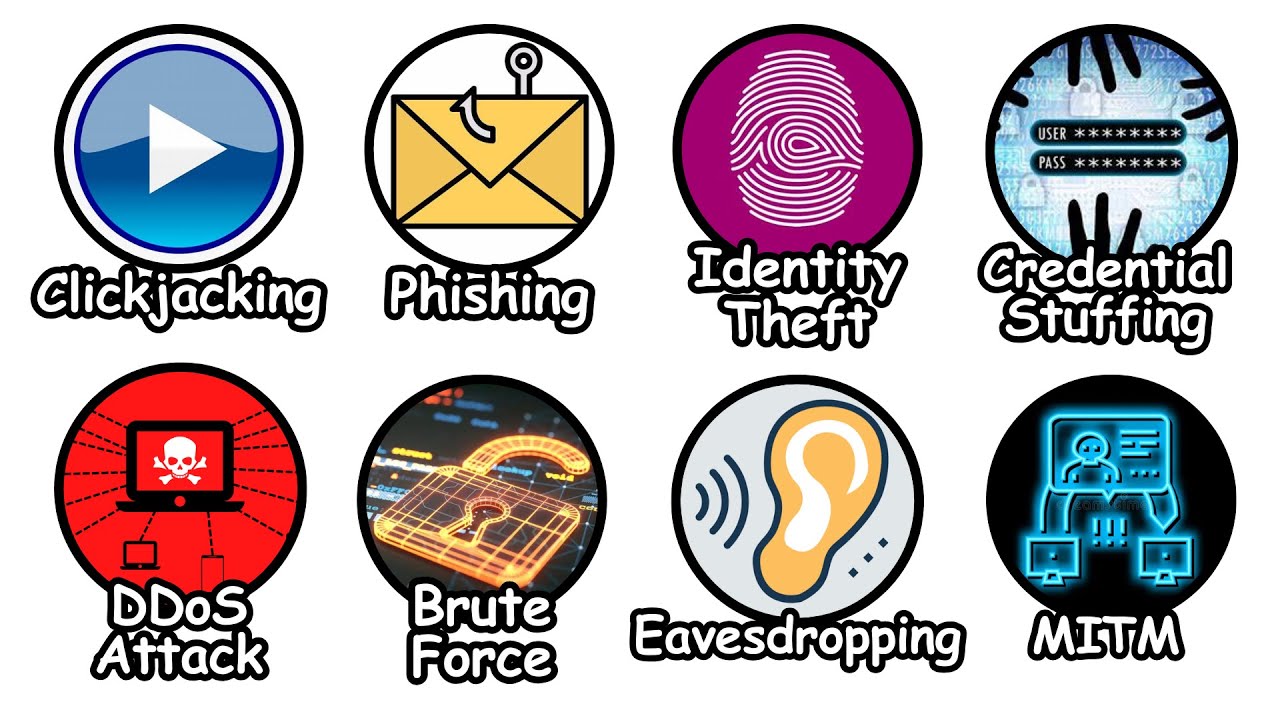
A cybersecurity attack happens when someone tries to steal, damage, or take control of your digital information. Hackers usually want one thing: your data, money, or access to your accounts and devices. Understanding these attacks is the first step to preventing cybersecurity attacks and staying safe online.
Common Types of Cybersecurity Attacks
- Phishing emails: Fake messages that trick you into giving passwords or personal details.
- Malware: Harmful software that can damage your device or steal information.
- Password attacks: Hackers guess or steal your passwords to break into accounts.
Tip: Start by checking your devices for suspicious emails or weak passwords. Even small precautions can block many attacks.
Why Cybersecurity Attacks Are Dangerous
Cybersecurity attacks can cause serious problems for both individuals and businesses.
Risks for Individuals
- Stolen personal data
- Lost money
- Identity theft
Risks for Businesses
- Lost or corrupted data
- Website or system downtime
- Loss of customer trust
A company ignored a small security flaw, and hackers took down its website for a day. Customers couldn’t access services, and the company lost trust and revenue.
Understanding these risks helps you take cyber threats seriously. When you see what’s at stake, it’s easier to follow good habits and protect your accounts, devices, and information.
How Cybersecurity Attacks Happen
Cybersecurity attacks often succeed because of small mistakes people make online. Hackers look for easy ways in, like weak passwords, unsafe emails, or outdated software. Understanding how attacks happen helps you spot risks and protect your accounts and devices.
Weak Passwords
Simple or repeated passwords are easy for hackers to guess. Short words, birthdays, or common phrases can be cracked in seconds. Using long, unique passwords makes it much harder for attackers to get access.
Tip: Update your passwords today and make each one strong and unique.
Unsafe Emails and Links
Phishing emails are fake messages that try to trick you. They often pretend to be from a trusted company or friend and ask you to click a link or share personal information. Even one wrong click can let hackers in.
Outdated Software
Old software and apps can have security flaws that hackers exploit. Ignoring updates makes it easier for attackers to access your data. Installing updates regularly closes these gaps and keeps your devices safer.
When was the last time you updated your apps?
How to Prevent Cybersecurity Attacks
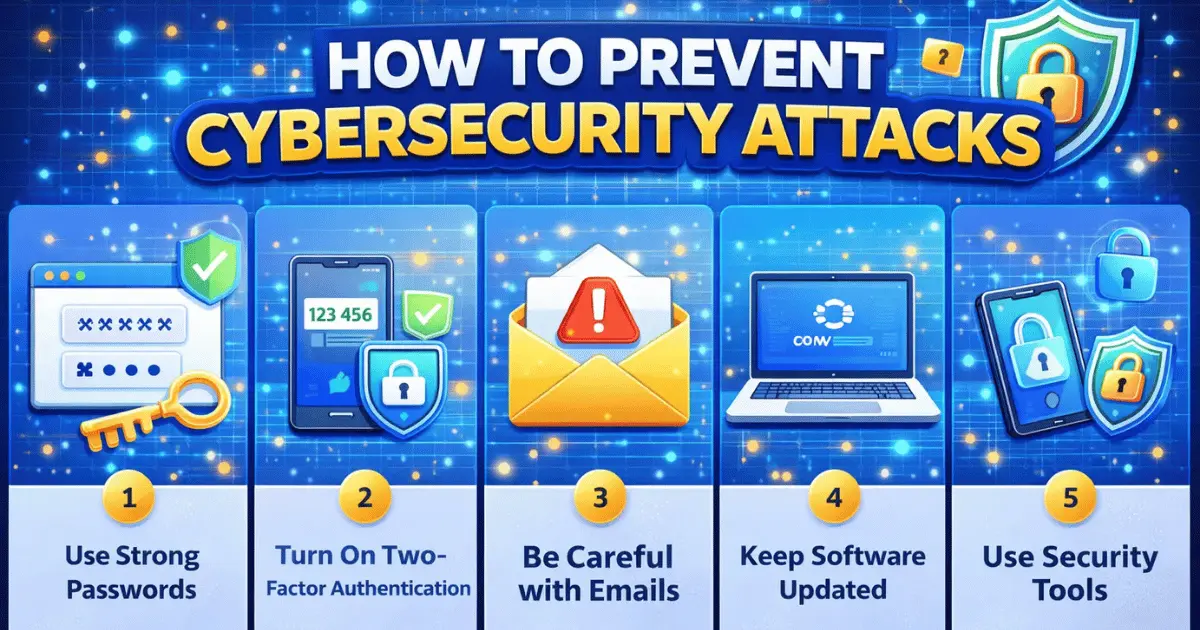
Taking simple steps every day can make it much harder for hackers to access your accounts and devices. By focusing on strong passwords, safe habits, and basic security tools, you can protect your data and stay safe online.
Use Strong Passwords
Weak passwords are the easiest way for hackers to break in. Use long passwords that mix letters, numbers, and symbols. Never reuse passwords across accounts.
A weak password like 123456 is easy to guess. A strong password such as Sun$et2026! is much safer.
Turn On Two-Factor Authentication
Two-factor authentication (2FA) is like an extra lock for your accounts. Even if someone gets your password, they still need a second code to log in.
Tip: Use phone codes or authentication apps to add this extra layer of security.
Be Careful with Emails
Fake emails often try to trick you into sharing information or clicking on harmful links. Always check the sender and avoid sharing personal details.
A fake delivery email may ask you to log in or confirm your payment. Clicking such links can give hackers access to your accounts.
Keep Software Updated
Outdated software and apps often have security flaws that hackers can exploit. Updates fix these weaknesses and keep your devices safer.
Action Step: Turn on automatic updates for your phone, laptop, and apps today to patch security gaps immediately.
Use Security Tools
Antivirus programs and firewalls act as digital guards for your devices. They help detect and block threats before they reach your accounts or data.
Tip: Install trusted antivirus software and keep it updated for ongoing protection.
Cybersecurity Tips for Daily Use
Staying safe online doesn’t have to be complicated. Small daily habits can protect your data and devices from hackers.
Always lock your devices when you’re not using them. This simple step prevents others from accessing your phone, tablet, or computer.
Use secure Wi-Fi instead of public networks whenever possible. Public Wi-Fi can let hackers spy on your data, so avoid logging into sensitive accounts when connected to it.
Back up important files regularly. This ensures you can recover your data if your device is lost, stolen, or attacked by malware.
Quick Checklist for Daily Safety:
- Lock devices when not in use
- Use secure Wi-Fi
- Back up important files
By following these small steps every day, you can reduce the chances of being hacked and keep your information safe.
Common Cybersecurity Mistakes to Avoid
Many people unknowingly make mistakes that make it easier for hackers to get in. One common error is sharing passwords with friends, family, or coworkers. Even well-meaning sharing can put your accounts at risk.
Another mistake is ignoring warnings from your devices or apps. Security alerts often point out risks, and overlooking them can allow attacks to succeed.
Using public WiFi without protection is also risky. Hackers can intercept data on unsecured networks, making it easy to steal passwords or sensitive information.
Which of these mistakes have you seen before?
Conclusion
So guys, in this article, we’ve covered preventing cybersecurity attacks in detail. The main takeaway is that small, consistent steps – like using strong passwords, enabling two-factor authentication, keeping software updated, and being careful with emails – can make a big difference in protecting your accounts and data. My personal recommendation is to start today with one habit, such as reviewing your passwords or turning on 2FA, and gradually build your security routine.
Be cautious not to ignore warnings, reuse passwords, or skip updates, because even minor mistakes can put your devices and information at risk. Taking cybersecurity lightly can cost you more than you think.
Stay proactive, keep learning, and make safety a daily habit. Explore preventing cybersecurity attacks further, try out the tips in this guide, and take control of your online safety – you’ve got this!
FAQs: Prevent Cybersecurity Attacks
What is the best protection against cyber attacks?
The best protection starts with strong, unique passwords for every account. Enable two-factor authentication wherever possible. Keep your software updated and use trusted security tools like antivirus programs.
How can I tell if an email is a phishing attempt?
Check the sender’s email address carefully and look for spelling mistakes or unusual links. Legitimate companies rarely ask for sensitive info via email. When in doubt, don’t click and verify directly with the company.
Can I prevent attacks on my phone as well as my computer?
Yes! Use strong passwords or biometrics, keep your apps updated, and install antivirus software if available. Avoid connecting to unsecured public Wi-Fi. These steps protect both phones and computers.
Is it safe to use public Wi-Fi?
Public Wi-Fi can be risky because hackers may intercept your data. Use a VPN if you must connect, or stick to secure networks. Avoid logging into sensitive accounts on public Wi-Fi.
How often should I change my passwords?
Change important passwords every 3–6 months. Avoid reusing old passwords across accounts. Using a password manager makes this easier and safer.
What should I do if I think I’ve been hacked?
Immediately change your passwords and enable two-factor authentication on affected accounts. Check your recent activity for suspicious logins. Contact your bank or service provider if sensitive information may be compromised.
Can antivirus software alone prevent all attacks?
No, antivirus software helps detect and block threats but doesn’t stop all attacks. Combine it with strong passwords, software updates, and safe online habits. Think of it as one layer in your overall protection.






- Be Respectful
- Stay Relevant
- Stay Positive
- True Feedback
- Encourage Discussion
- Avoid Spamming
- No Fake News
- Don't Copy-Paste
- No Personal Attacks
- Be Respectful
- Stay Relevant
- Stay Positive
- True Feedback
- Encourage Discussion
- Avoid Spamming
- No Fake News
- Don't Copy-Paste
- No Personal Attacks
