How to Build a Cybersecurity Portfolio Website Using Tips and Templates
Published: 5 Oct 2025
It’s frustrating when you earn cybersecurity certifications, complete capture-the-flag (CTF) challenges, and practice penetration testing, yet employers still overlook your resume. A cybersecurity portfolio website can change that. By showcasing projects, case studies, and your problem-solving skills in one place, you give recruiters real proof of your abilities and stand out from the competition.
Unlike a traditional resume, a portfolio website is more visual and interactive. It allows you to highlight ethical hacking projects, contributions to open-source tools, or even reports from risk management and application security work. This gives employers and clients confidence that you can handle real-world cybersecurity challenges.
In this guide, we’ll show you step by step how to build a professional cybersecurity portfolio website. You’ll also see examples of strong portfolios, plus beginner-friendly templates you can use to get started right away. By the end, you’ll know how to create a site that proves your skills and helps you land better opportunities in cybersecurity.
Table of Contents
Why You Need a Cybersecurity Portfolio
A cybersecurity portfolio is more than a personal page—it’s a professional showcase. Employers and clients want proof of what you can do, not just a list of certifications. A well-designed site gives them that proof.
1. Showcase Your Skills
Your portfolio site lets you highlight hands-on work like penetration testing projects, capture-the-flag (CTF) write-ups, and ethical hacking case studies. Instead of only claiming knowledge of application security or risk management, you can present real-world examples that prove your ability.
2. Build Trust with Employers and Clients
When recruiters see your projects, open-source contributions, and problem-solving methods, they gain confidence in your skills. A portfolio website for cybersecurity projects shows you can handle real security challenges outside the classroom.
3. Stand Out from the Competition
Thousands of applicants share the same credentials. A cybersecurity website portfolio highlights your personal approach, creativity, and unique strengths, helping you rise above the crowd.
4. Track Your Learning Journey
A portfolio can also act as your learning diary. You can add new CTFs, update reports from security labs, or write about the latest cyber attacks. This shows growth and proves you’re staying current in the field.
Tips: In short, a strong portfolio site for cybersecurity is your proof, your brand, and your competitive edge.
Key Elements of a Strong Cybersecurity Portfolio Website
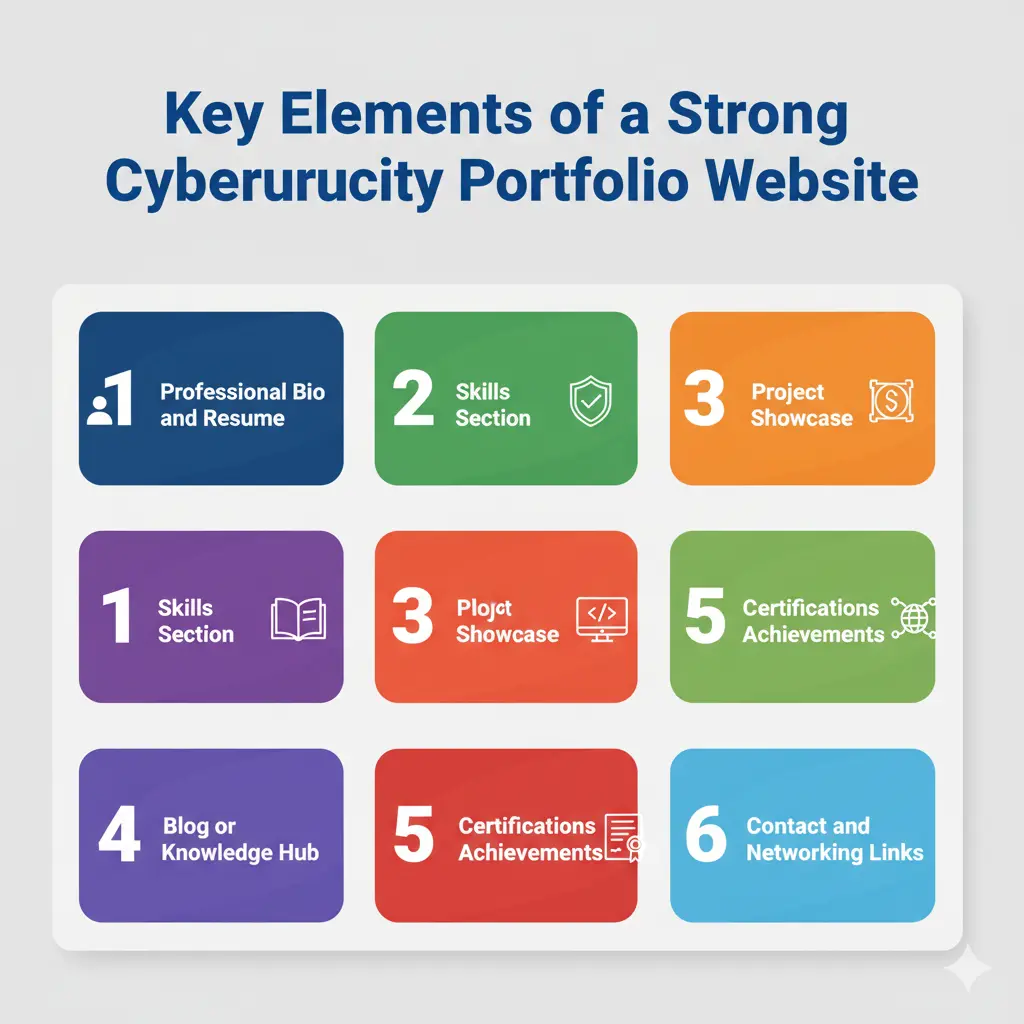
A good portfolio site for cybersecurity should be simple, clear, and professional. It must give employers and clients an easy way to understand your skills and see your work in action. Here are the key elements you should include:
1. Professional Bio and Resume
Introduce yourself with a short bio. Add your certifications, career goals, and a link to your resume. Keep it short and easy to read. For example, “Certified in Security+, focused on penetration testing and ethical hacking.”
2. Skills Section
List your main strengths—like risk management, application security, penetration testing, or ethical hacking. Use simple terms, so even non-technical people can follow.
3. Project Showcase
This is the heart of your portfolio. Share real case studies, CTF write-ups, or open-source tools you’ve built. Add screenshots, short notes on what you solved, and results. Example: “Analyzed a web app for vulnerabilities and fixed XSS issues.”
4. Blog or Knowledge Hub
A small blog makes your portfolio more powerful. Write about how you solved a cybersecurity challenge, lessons learned from a CTF, or how to prevent common cyber attacks. These posts show you are active and updated in the field.
5. Certifications and Achievements
Show badges or certificates you’ve earned—like CompTIA Security+, CEH, or OSCP. Employers trust these as proof of your learning.
6. Contact and Networking Links
Always include a way for people to reach you. Add a simple contact form, LinkedIn link, or email address. Make it easy for recruiters to connect.
Tip: Keep your design clean. A plain, easy-to-read layout makes your work stand out more than fancy graphics.
Cybersecurity Portfolio Website Examples
Exploring different cybersecurity portfolio website examples helps you see what makes a portfolio stand out. While every site is unique, most fall into a few clear styles that highlight different goals.
Beginner Portfolios
Beginner sites usually include a short bio, a list of skills, and small projects such as CTF write-ups or simple case studies. They focus on showing enthusiasm and a willingness to learn.
Professional Portfolios
Professional sites often highlight penetration testing, ethical hacking, or application security projects. These portfolios showcase deeper technical knowledge and practical solutions to security challenges.
Research and Open-Source Portfolios
Some cybersecurity experts build credibility by publishing research, contributing to open-source tools, or sharing scripts. Their portfolios usually feature links to repositories, blogs, or technical write-ups.
Consultant and Corporate Portfolios
Consultants and corporate professionals use their websites to show reliability and results. They may include certifications, project summaries, and references to demonstrate success in solving cybersecurity challenges and preventing cyber attacks.
Steps to Build Your Cybersecurity Portfolio Website
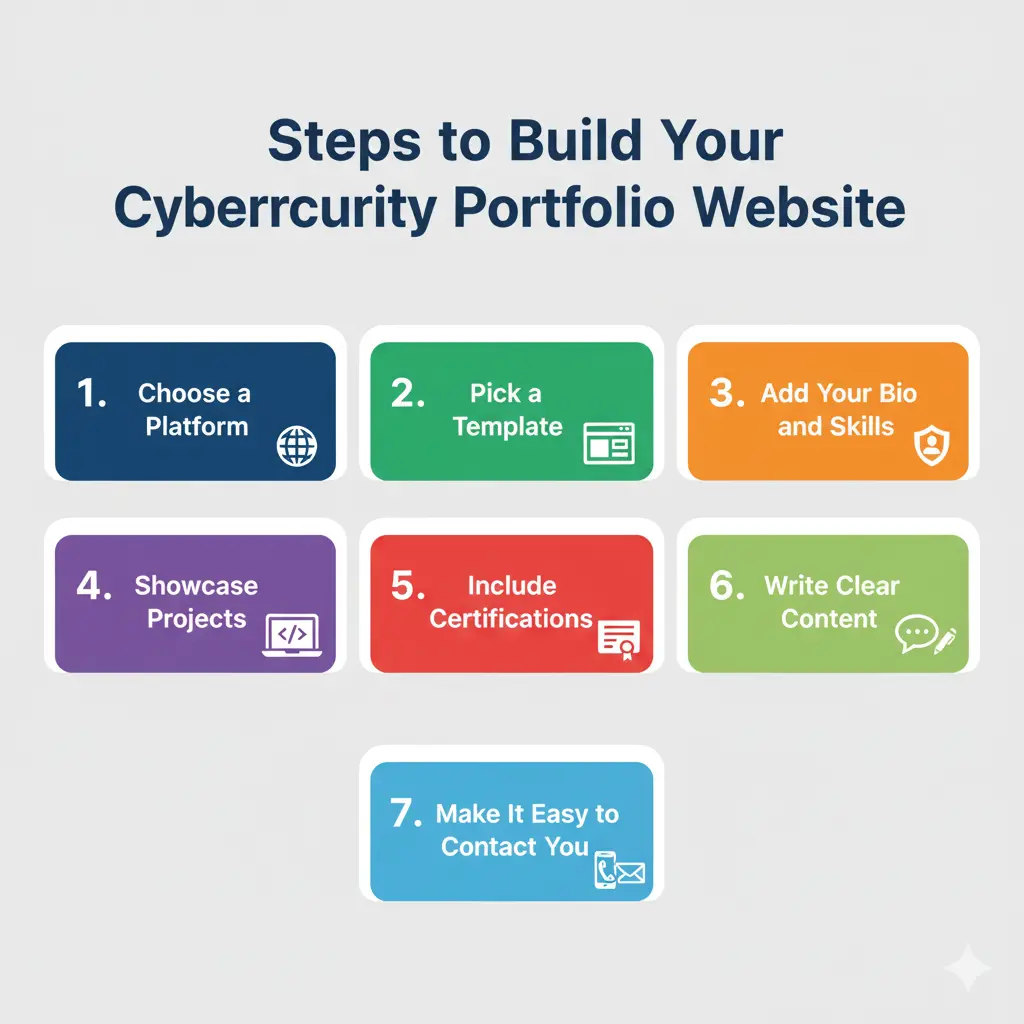
Creating a strong portfolio site is not complicated. Follow these steps to make your work stand out:
- Choose a Platform – Decide if you want to use WordPress, GitHub Pages, or a simple website builder.
- Pick a Template – Select a design that fits your goals (one-page, multi-page, or blog style).
- Add Your Bio and Skills – Keep it short, clear, and relevant.
- Showcase Projects – Add at least two real or practice projects with short explanations.
- Include Certifications – Upload badges or certificates to build trust.
- Write Clear Content – Use simple language to explain technical terms like penetration testing or risk management.
- Make It Easy to Contact You – Add email, LinkedIn, or a form.
Common Mistakes to Avoid
When creating your cybersecurity portfolio, avoid these errors:
- Using too much jargon without simple explanations.
- Overloading your site with text and making it hard to navigate.
- Forgetting to update your portfolio with new projects or case studies.
- Ignoring mobile-friendly design.
- Leaving out clear contact details.
Conclusion
A cybersecurity portfolio website is not just an online profile—it is proof of your skills, projects, and dedication to the field. In this article, we explored what makes a strong portfolio, how templates can help, and the common mistakes to avoid.
My recommendation is to start simple, focus on clarity, and keep your portfolio updated with new projects and certifications. Even a basic site can set you apart if it shows real work and practical results. Begin today, and let your portfolio become the tool that drives your career forward in cybersecurity.
FAQs- Cybersecurity portfolio website
Why is a cybersecurity portfolio website important?
It proves your skills with real work, making you more visible to employers.
Do I need coding skills to build a portfolio site?
Not always. Website builders and templates make it simple to create one.
What should I include in my cybersecurity portfolio?
A bio, skills, projects, case studies, certifications, and contact details.
Can I use GitHub as my portfolio?
Yes, but pairing it with a clean website gives a more professional look.
How often should I update my portfolio site?
Update whenever you finish a new project, earn a certificate, or publish research.






- Be Respectful
- Stay Relevant
- Stay Positive
- True Feedback
- Encourage Discussion
- Avoid Spamming
- No Fake News
- Don't Copy-Paste
- No Personal Attacks
- Be Respectful
- Stay Relevant
- Stay Positive
- True Feedback
- Encourage Discussion
- Avoid Spamming
- No Fake News
- Don't Copy-Paste
- No Personal Attacks
